
Modern enterprises expect fast, efficient, and scalable Salesforce integrations. However, traditional API based integrations often rely on multiple API calls. As a result, latency increases and maintenance becomes harder over time. Anypoint Salesforce Composite addresses this challenge by allowing multiple Salesforce operations in a single request. Consequently, MuleSoft applications become more responsive and easier to scale.
In this blog, we therefore walk through a step by step guide to using the Salesforce Composite Connector in Anypoint Studio. Along the way, we also explain setup decisions, configuration steps, and operational limits.
Salesforce Composite API Overview for MuleSoft Developers
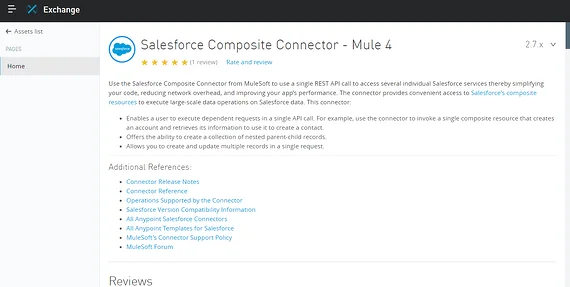
The Salesforce Composite API enables developers to group several REST API calls into one request. Because of this, applications reduce network overhead and improve overall performance. MuleSoft exposes this capability through a dedicated connector that integrates directly with Anypoint Studio.
Moreover, this approach works especially well when creating related records together. For example, Accounts, Contacts, and Opportunities can be processed in one transaction. As a result, data consistency improves while API usage decreases.
Importing the Connector from Anypoint Exchange
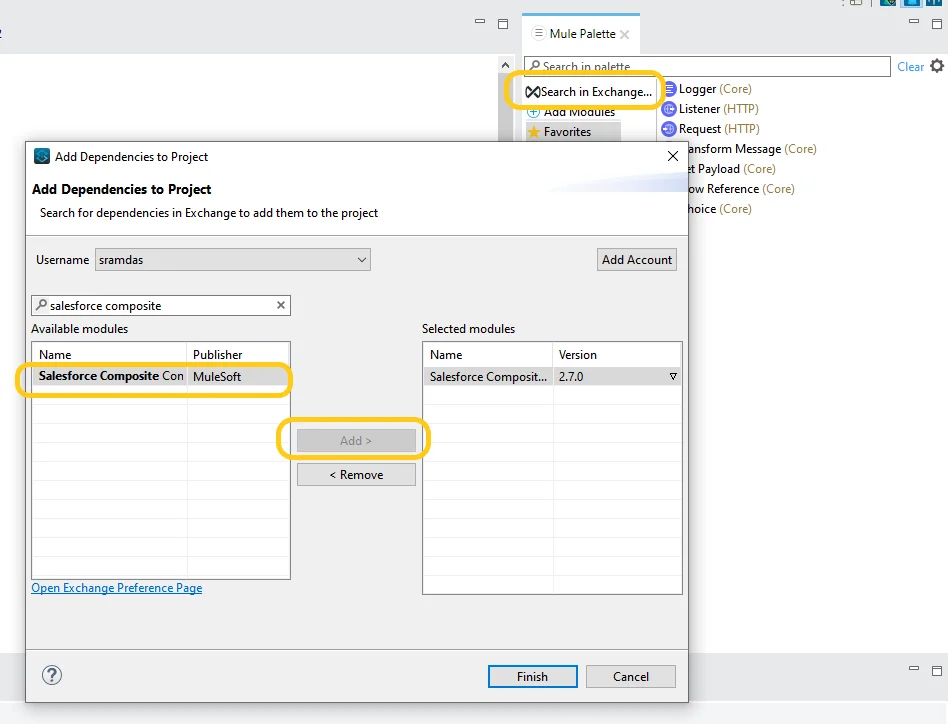
Before you begin configuration, you must first import the connector into your Mule application. Initially, the Salesforce Composite Connector does not appear in the Mule Palette. Therefore, you need to add it manually from Anypoint Exchange.
Steps to add the connector:
- First, open Anypoint Studio.
- Next, navigate to the Mule Palette.
- Then click Search in Exchange.
- After that, search for Salesforce Composite Connector.
- Finally, select the latest version and click Add.
By using the most recent version, you benefit from improved stability and updated Salesforce API support. Consequently, long term maintenance becomes easier.
Salesforce Connected App Setup for Composite API Access
Next, you must configure secure access in Salesforce. To do this, you create a connected app that supports OAuth authentication. This step is critical because MuleSoft uses OAuth credentials to authenticate API calls.
Steps to create a connected app:
- First, log in to Salesforce.
- Then go to Setup and open App Manager.
- Next, click New Connected App.
- After that, enter the connected app name and contact email.
- Then enable OAuth settings.
- Provide a callback URL.
- Select Full Access OAuth scope.
- Finally, save the app.
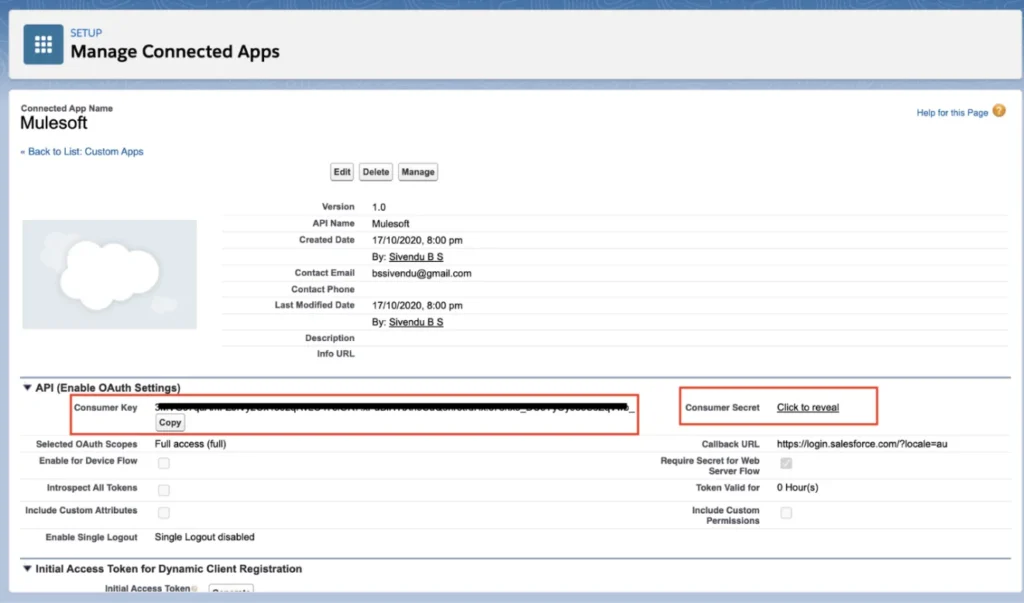
Once saved, Salesforce generates a consumer key and consumer secret. These values are required later when configuring the connector in Anypoint Studio.
Setting Up the Connector in Anypoint Studio
After the connected app is ready, you can configure the global connector. At this stage, accuracy matters because incorrect credentials cause authentication failures.
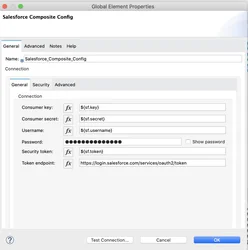
Navigate to the Global Elements tab and create a new Salesforce Composite configuration. Then enter the consumer key, consumer secret, Salesforce username, password, and security token. Additionally, confirm that the OAuth token endpoint is correct.
Because OAuth is widely adopted and secure, it remains the recommended authentication method. Therefore, once all fields are populated, test the connection to confirm successful communication.
Using Salesforce Composite Connector in Mule Flows
After configuration, you can begin using the connector in Mule flows. Instead of calling multiple Salesforce APIs, you can now execute composite requests in a single operation.
For example, you can create a parent record and its related child records together. As a result, API consumption drops significantly. Moreover, error handling becomes simpler because Salesforce processes the request as one logical transaction.
Limits and Operational Considerations
Although the connector is powerful, certain limits still apply. Therefore, understanding these constraints is essential before designing complex integrations.
The connector supports up to 200 records per request. Additionally, you can include up to five different object types. Furthermore, sObject trees can be nested up to five levels deep.
Each record must include a type and a reference ID. Because reference IDs link related records, they are mandatory for successful execution. Consequently, careful payload design is required.
Conclusion
Anypoint Salesforce Composite enables MuleSoft developers to design efficient Salesforce integrations with fewer API calls and reduced complexity. Moreover, by combining connected apps, OAuth authentication, and composite requests, teams can build scalable and reliable solutions.
Ultimately, by following the steps outlined in this guide, developers can confidently implement the Salesforce Composite Connector in Anypoint Studio while improving performance and maintainability.